Can Claude manage Meta ads? 5 rules before you let it
Yes, Claude can create, edit and switch on Meta campaigns. What it can change, what has gone wrong so far, and the five rules we'd set before letting it.
Can Claude manage your Meta ads, and should you let it?
By Andrej Ruckij · November 12, 2026 · what each platform’s server can do was checked on Meta’s, Google’s, TikTok’s, Microsoft’s and Amazon’s own pages the same day
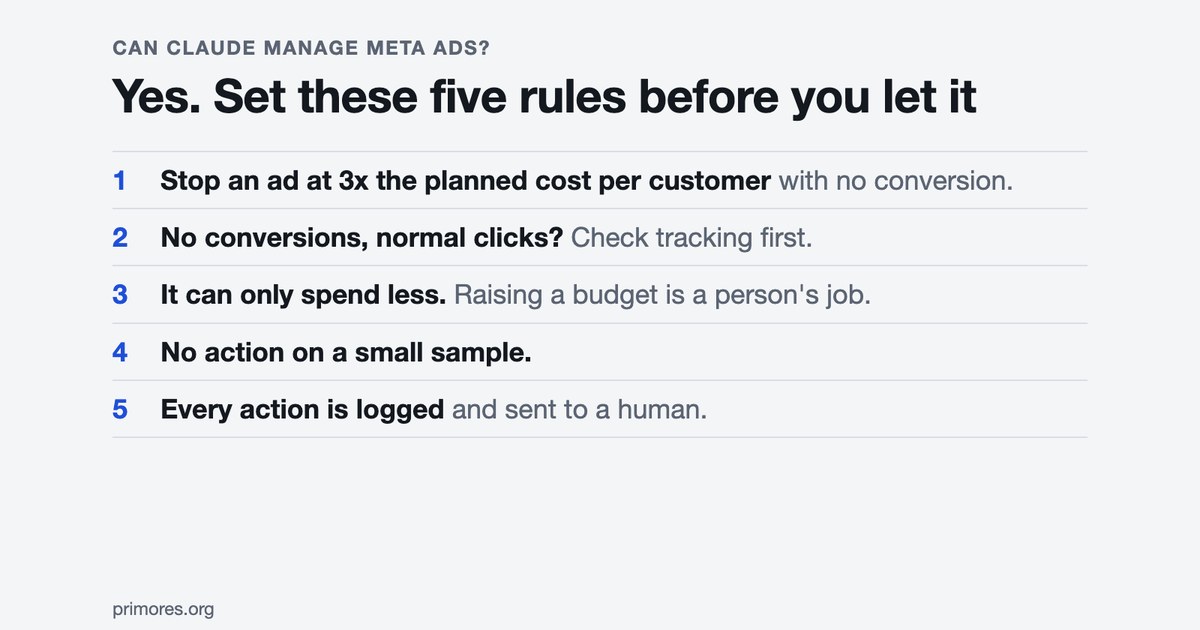
TL;DR: Yes. Through Meta’s own ads MCP server, Claude can create and edit campaigns, change budgets, switch ads on and delete audiences. Whether you should let it is the harder part. Meta leaves the confirmation step to the AI client, its account-level deny rules are still in “limited availability”, and I couldn’t find one published result from an agent-run account. So my default is read-only: the agent audits and reports, people make the changes. If an agent does act, it acts on five rules a person wrote: stop an ad that has spent 3x the planned cost per customer with no conversion, treat missing conversions as a tracking problem first, only ever spend less, do nothing on a small sample, and log every action.
What can Claude actually change in an ad account?
It’s different on every platform. Every one of them has its own MCP server now. That’s just how an AI app like Claude talks to an outside tool. I went through each vendor’s own docs on November 12.
| Platform | What an agent can change | The brake |
|---|---|---|
| Meta | Create and edit campaigns, ad sets and ads, edit budgets, activate, create and delete custom audiences, upload creatives, edit catalogs | New things are created paused; “your AI client asks for confirmation before activation”. Per-account deny rules exist but are in limited availability |
| Google Ads | Create assets, upload video, manage labels. Nothing else | Dry run plus a checksum; Google says it “does not replace access control” |
| TikTok | About 400 tools, including campaign creation and financial settings | No approval step described on the page |
| Microsoft Advertising | Nothing. Read-only | ”The tools never modify account data” |
| Amazon Ads | Create, update and delete campaigns | Open beta, partners with API credentials only |
On Meta it’s a clear yes. The help page says the agent “can create and edit ads, ad sets and campaigns” and can “create, update and delete custom audiences” (Meta Business Help Center). The developer docs list the tools by name. Here’s one of them: “Change a paused campaign, ad set, or ad to active — starts spending budget” (Meta for Developers).
Google lets it do much less. Its open-source server got its first write tools on November 2, in version 0.0.6, and the guide spells out the limit: the server “cannot create, modify, pause, or enable campaigns, ad groups, ads, budgets, or bids” (Google for Developers). If you already run it, heads up: the write tools are on by default. The README says “a default tools_config.yaml with all tools enabled is bundled with the package” (GitHub).
TikTok goes the other way. Its docs say agents can run “complete advertising workflows… without human intervention at every step” (TikTok API for Business). Microsoft’s server only reads (Microsoft Learn), and Amazon’s writes but only for partners (Amazon Ads).
If you haven’t connected anything yet, the setup is in our guide on how to connect Claude to your Meta and Google Ads accounts. This piece is about what to allow once it’s connected.
What’s the case for letting it?
Speed, mostly, and catching things people stopped looking at.
The best example I found is Remco Livain, who pointed the Meta server at a consumer brand spending just under €20,000 a month. In ten minutes the agent found “a top-of-funnel geo test that had been left running since last summer, quietly burning around €6,000 a month at a ROAS of basically zero. Nobody killed it” (ROAS is return on ad spend; Livain). That’s one account with no follow-up, so it proves nothing about results. But it does show what an agent can spot.
The agency e-dialog compared Claude’s read of a Meta account with its own reports and the numbers matched (e-dialog). And Meta says in writing that connecting is safe for the account: “it’s unlikely that an account would be banned simply for using it” (Meta Business Help Center). The same page adds that bans typically come from breaking Meta’s advertising standards, so an agent that creates ads which break them is still a risk.
That’s why read-only is our default. We use the Meta connector ourselves for reporting and audits on our own account.
What’s the case against?
Three things, and each has a real example behind it.
The brakes are thinner than they look. On Google, the approval step is an instruction to the model. Thomas Wismer of Wismer Marketing, who tested the write tools in a client account with the client’s permission, put it this way: “Whether a human approved it in between, the server cannot check” (PPC Land). On Meta, Jon Loomer opened the rules panel in August and found his ad accounts “all allowed ‘7 of 7’ actions by default”, including setting any budget (Jon Loomer).
A wrong change costs real money. One Claude Code user reported that the agent set a Meta daily budget to NT$30,000 instead of NT$300, a 100x error, and the campaign ran for about two days. The loss was roughly $350 (GitHub issue). It’s a single report with no log attached, so treat it as an anecdote. The cause the report gives is a currency-unit mix-up with no read-back after the budget was set.
It reads the numbers right and sometimes explains them wrong. In e-dialog’s test the agent said some creatives had been switched off because of ad fatigue. In reality “the campaign had simply expired at the predetermined time”. Their conclusion: “the raw data is more reliable than the explanations behind it”. An agent that acts on its own wrong explanation is the thing to worry about.
And one thing I couldn’t find anywhere: what happens to cost per customer when an agent manages an account for a few months, next to one a person manages. The claims that exist (90% less operational time, 15% better return) come from a vendor’s customer story with no method.
The five rules we’d set for an agent-run account
My default is read-only. But if an agent does get to act, I’d want it acting on rules a person wrote, and only for adjustments that are obvious. These five come from how we look after the ad accounts we run, across the platforms we buy on, and two of them from things that happened last week.
1. Stop an ad that has spent 3x the planned cost per customer with no conversion. If the plan says a customer should cost $20 and an ad has spent $60 with nothing to show, it’s stopped. It’s an obvious adjustment, the kind a rule can make.
2. No conversions with normal clicks means check the tracking first. Last week sign-ups just collapsed on three of our campaigns. The sign-up rate went from 11–14% of landing-page visitors to between 0 and 3.5%. One campaign should’ve brought about 43 sign-ups and showed zero. On that one the postback was broken (that’s the call that reports a sign-up back to the tracker). A second one we’re relaunching as a tracking test. And the same week a tracking domain expired on a Saturday night, and two other campaigns stopped showing sign-ups by the next morning. An agent told to optimise in that situation is working from wrong numbers. So the rule is: pause, tell a human, don’t touch bids or creatives. A person decides what happens next.
3. The agent can only spend less. It may pause or lower a budget. Raising one, or launching anything, is a person’s job. In the NT$30,000 story, that budget wouldn’t have been the agent’s to set.
4. No action on a small sample. Last week one of our lines showed a cost per thousand impressions of $54 against its usual $0.43. It had ten impressions and had spent 54 cents. That’s noise. We compare every number to the account’s own last six to eight weeks, and if there are too few events we skip it.
5. Every action is logged and reported. Which rule fired, what changed, and one click to undo it, sent to a person. You need to be able to see what the agent did yesterday.
How to decide
Who this is for. You run your own Meta ads, or you’re the in-house marketer with a handful of accounts, or an agency with client accounts. LinkedIn and Telegram Ads are out: I found no official agent access for either.
Go through these in order and stop at the first “no”.
- Do you want it to change things, or only report? If reports and audits are all you want, stay read-only and skip the rest. In Claude’s connector settings you can set each tool to “Always allow, Needs approval, or Blocked” (Anthropic). So block the ones that delete (on Meta,
ads_delete_custom_audienceis one) and put the ones that write on “Needs approval”. The three to look for areads_create_campaign,ads_update_entityandads_activate_entity: they create, edit and start spending. On Google, the README says to “setlabels: falseandassets: false” intools_config.yamlfor a read-only setup. Careful there. Google’s guide warns that “whenevernamespacesis non-empty, any omitted category is disabled by default”, so list the read categories astruetoo, or you switch the whole server off. - Can you set a ceiling on the platform’s side? On Meta, go to Settings in Meta Business Suite, then Integrations, then Ads MCP server. If the panel is there, add a budget ceiling: in Meta’s example, “if you enter $1,000, requests to set the budget over $1,000 will be blocked”. Meta’s rules can also deny status changes and campaign creation outright (Meta for Developers). If the panel isn’t there, either you don’t have full control of the business portfolio or your business isn’t enrolled yet (Meta says the rules are in “limited availability”). Without it, the only brake is the AI app’s own confirmation step. I haven’t seen a published test of whether the ceiling holds, so try it with a paused test campaign first.
- Do you have a planned cost per customer written down? Rule 1 needs a number. It’s in your plan: what a customer may cost you. Without one the agent has nothing to check an ad against.
- Does your tracking tell you when it breaks? Here’s a quick check. Put clicks and conversions side by side, per day, for the last month. If conversions ever fell to zero while clicks stayed normal, ask who found out and when. If the answer is “a few days later”, a broken tracker looks the same as a bad ad in your reports, and rule 2 can’t work yet. Fix that first: someone has to be told the same day conversions stop.
- Is it your account or a client’s? The connector “inherits all your Facebook user’s account access”, as Jon Loomer points out, and your business portfolio likely reaches the client accounts shared with you (Jon Loomer). On a client’s account, get their permission first, the way Wismer did.
If you get to the end with five yeses, start with the obvious adjustments only: pausing and lowering.
Gaps in what I could check
A few things I couldn’t check. Meta’s pages don’t say what the server costs, and I found no list of which regions or account types have it. I didn’t find a published test of whether Meta’s deny rules really block a forbidden action, so try it on your own account before you rely on it. Wismer’s test is quoted through PPC Land because I couldn’t find his own post. Our own cases are from the week of November 2 to 8.
Related: tools/mcp explains the protocol these servers use, and glossary/guardrails covers the general idea of limits on what an agent may do. If you’re weighing Google’s own automation instead, see is Google Ads AI Max worth it.
Sources
- Meta Business Help Center: ads MCP server
- Meta for Developers: ad creation and management tools
- Meta for Developers: ads MCP server rules
- Google for Developers: Google Ads MCP server
- GitHub: googleads/google-ads-mcp README
- TikTok API for Business: MCP server
- Microsoft Learn: Microsoft Advertising MCP tools
- Amazon Ads: MCP server open beta
- Anthropic: use connectors to extend Claude’s capabilities
- PPC Land: Google Ads MCP server gains 4 write tools
- Jon Loomer: Meta ads AI connectors security controls
- Jon Loomer: Meta ads AI connectors and Claude
- Remco Livain: I pointed the Meta MCP at a real ad account
- e-dialog: how well does AI evaluate your Meta ads account
- GitHub: Claude Code issue 62376
- Claude customer story: Advolve